In a headless React build, your ranking signals are code artifacts: URL routing, the dynamic metadata pipeline, and component-level JSON-LD — none of which export to Shopify. They cease to exist at cutover unless you deliberately preserve them. When you migrate headless React to Shopify, the SEO migration succeeds or fails on redirect completeness and metadata and schema preservation.
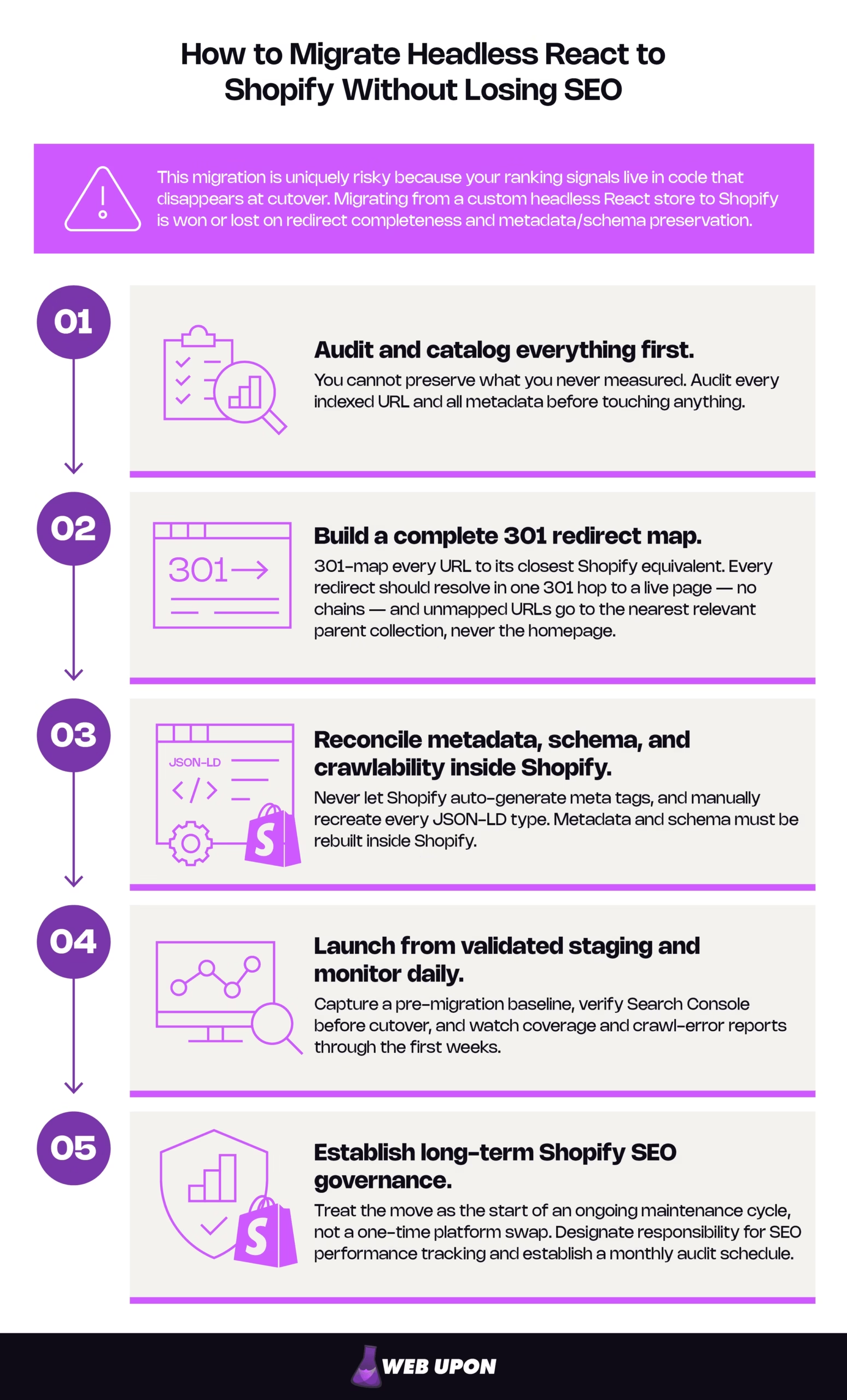
How to migrate headless React to Shopify without losing SEO:
- Audit and catalog everything first. You cannot preserve what you never measured. Audit every indexed URL and all metadata before touching anything.
- Build a complete 301 redirect map. 301-map every URL to its closest Shopify equivalent. Every redirect should resolve in one 301 hop to a live page — no chains — and unmapped URLs go to the nearest relevant parent collection, never the homepage.
- Reconcile metadata, schema, and crawlability inside Shopify. Never let Shopify auto-generate meta tags, and manually recreate every JSON-LD type. Metadata and schema must be rebuilt inside Shopify.
- Launch from validated staging and monitor daily. Capture a pre-migration baseline, verify Search Console before cutover, and watch coverage and crawl-error reports through the first weeks.
- Establish long-term Shopify SEO governance. Treat the move as the start of an ongoing maintenance cycle, not a one-time platform swap. Designate responsibility for SEO performance tracking and establish a monthly audit schedule.
Do those five things with discipline and the move becomes what it should be — trading maintenance debt for a more stable platform without surrendering the organic authority your revenue runs on.
Why This Migration Puts Your Organic Traffic at Serious Risk
Understand the risk before you touch the code. Most migration horror stories are caused by teams treating a fundamentally custom teardown as if it were a simple move. The good news, which the rest of this guide delivers on, is that every risk below is preventable, and prevention starts with an audit.
The Hidden SEO Complexity of Leaving a Custom React Architecture
Think about where your ranking signals actually live in a headless React build. Meta titles, descriptions, and canonical tags are typically injected dynamically — through a document-head manager or a framework’s built-in metadata layer. Structured data is frequently rendered as JSON-LD (JavaScript Object Notation for Linked Data) inside individual components. URL logic lives in the router. None of it is a portable field you can export from one admin and import into another; they are not database records. When the frontend is decommissioned, these signals do not transfer to Shopify; they cease to exist. Founders and CTOs usually underestimate this, because their organic authority is tied to architectural decisions made years ago, not just to the content everyone can see. The content is safe. The plumbing that made Google trust the content is what evaporates.
| Signal | Lives in | Transfers automatically? | Risk if ignored |
| URL / routing logic | The React router (custom slugs, nested paths) | No | Every URL changes; backlinks and rankings point to dead addresses. |
| Dynamic metadata pipeline | Head-management code, generated at render | No | Titles and descriptions reset to generic Shopify defaults. |
| Component-level JSON-LD | Individual React components | No | Rich results disappear from the SERP overnight. |
| Internal linking logic | Shared components and templates | No | Crawl paths and link equity between key pages break. |
How Shopify’s Native URL Structure Conflicts With React Store Conventions
The practical consequence of that architecture arrives immediately, in the form of URLs. Shopify enforces rigid, prefixed patterns — /products/, /collections/, /pages/ — that rarely match the custom slug logic a React storefront was built around. A Next.js or Gatsby storefront often uses flat or nested hierarchies that have quietly accumulated backlinks and indexed pages for years.
That mismatch is not cosmetic. Every structural URL change that goes unresolved becomes two problems at once: a direct ranking-signal loss, and a crawl error waiting to surface in Search Console. Multiply that across a full catalog and you have the traffic cliff in miniature.
| Old React URL | New Shopify URL |
| yourstore.com/shop/blue-widget | yourstore.com/products/blue-widget |
| yourstore.com/category/outdoor | yourstore.com/collections/outdoor |
| yourstore.com/guides/sizing | yourstore.com/pages/sizing |
Conducting a Pre-Migration SEO Audit of Your React Store
The surest way to preserve organic traffic through the move is to know exactly what you are protecting before you touch a single URL. That is what a pre-migration SEO audit exists to give you.
Crawling and Cataloging Every Indexed URL Before You Touch Anything
Why it matters: your redirect map, your metadata migration, and your recovery benchmark all depend on a complete inventory of what Google currently indexes. Build it first.
Use a crawler to export every indexed URL from the live React store; tools like Screaming Frog, Sitebulb, or Ahrefs Site Audit all do this well. One caution specific to headless stores: a standard crawl can under-report a client-side-rendered site because content only appears after JavaScript executes, so enable JavaScript rendering in the crawler. Then cross-reference the crawl against Google Search Console’s index coverage report to see which URLs actually drive impressions and clicks. Finally, flag your high-value URLs — by organic traffic, backlink count, and keyword rankings — before any migration work begins. Those flags decide what gets protected first.
| URL | Organic clicks | Backlinks | Top ranking keyword | Priority |
| /shop/blue-widget | 4,200/mo | 38 | “blue widget” | Critical |
| /category/outdoor | 1,900/mo | 12 | “outdoor widgets” | High |
| /guides/sizing | 610/mo | 4 | “widget sizing guide” | Medium |
Extracting and Documenting All Existing Metadata at Scale
Why it matters: Shopify will not inherit your metadata. Every optimized title and description you fail to export becomes a generic tag you will have to notice, diagnose, and rewrite later, usually after rankings have already slipped.
Export all existing meta titles, meta descriptions, and canonical tags, since these are dynamically generated in React and will not carry over. Audit Open Graph tags, hreflang tags if you serve international markets, and any structured data embedded in components. Document, too, which pages use server-side rendering (SSR, where the server sends complete HTML) versus client-side rendering (CSR, where the browser builds the page with JavaScript), because the render method has shaped how Googlebot has indexed you all along.
Metadata extraction checklist:
- Meta title
- Meta description
- Canonical tag
- Open Graph tags
- hreflang tags (international stores)
- JSON-LD / structured data
- Render method (SSR vs CSR) per template
Mapping Backlink Profiles to High-Risk URLs
Why it matters: not all URLs are equal, and the ones carrying the most referring-domain equity are the ones a broken redirect will punish most permanently.
Pull a full backlink report — tools like Ahrefs or Majestic surface referring domains cleanly — and identify which URLs carry the most external authority. Prioritize those in your redirect strategy, because losing the 301 on a high-authority linked page can dilute domain authority in a way that is slow and painful to rebuild. Pay special attention to backlinks pointing at paginated URLs, filtered collection pages, or dynamically generated product-variant URLs, all of which are common in React builds and easy to overlook. If you want a repeatable framework for running this end to end, our guide to ecommerce website SEO audit walks the full sequence.
Building a Complete URL Redirect and Mapping Strategy
The redirect map is the single most important artifact of the entire migration. Everything upstream feeds it; everything downstream depends on it.
Creating a Comprehensive Redirect Map From React URLs to Shopify URLs
Why it matters: the redirect map is where “we’ll figure it out at launch” quietly becomes a permanent traffic loss. Build it as a deliberate, reviewable document, not a launch-day scramble.
Create a one-to-one map in a structured spreadsheet that pairs every existing React URL with its Shopify destination. Prioritize product pages, collection pages, blog posts, and custom landing pages that carry traffic or backlink equity. And account for Shopify’s enforced structure — the mandatory /products/ and /collections/ prefixes will alter virtually every product and category URL you have, so expect the map to touch nearly the whole catalog.
| Old React URL | New Shopify URL | Redirect type | Priority |
| /shop/blue-widget | /products/blue-widget | 301 | Critical |
| /category/outdoor | /collections/outdoor | 301 | High |
| /guides/sizing | /pages/sizing | 301 | Medium |
Implementing 301 Redirects Correctly Within Shopify’s Architecture
Why it matters: a redirect that technically “works” can still bleed equity if it resolves through a chain. Correct implementation is about the quality of each hop, not just its existence.
Shopify’s built-in URL redirect manager handles clean one-to-one paths well, but it has real limits at scale and does not natively preserve query-parameter URLs. Match the method to the catalog:
- Small catalog: Shopify’s built-in redirect manager is enough, and it keeps everything in the admin where it is easy to audit.
- Thousands of SKUs: implement redirects via the Shopify Admin API or a dedicated bulk-import redirect app, so you avoid the transcription errors and accidental chains that manual entry introduces at four- and five-figure URL counts.
Whichever you use, hold every redirect to one standard: it should resolve in a single 301 hop to a live 200 page, never 301 → 301 → 200. Each extra hop wastes a little link equity and a little crawl budget, and across thousands of URLs those small losses compound silently. Validate the whole map for chains and loops before launch.
Handling Complex React URL Patterns That Shopify Cannot Natively Replicate
Why it matters: the URLs Shopify cannot cleanly replicate are exactly the ones teams handle carelessly, and one careless default can vaporize the equity you spent the audit protecting.
React stores lean on query-parameter filtering, hash routing, and custom slugs that have no direct Shopify equivalent. Map filtered and faceted URLs to their closest Shopify collection, and use canonical tags to consolidate any duplicate indexing signals. State the rule for the leftovers explicitly, because it is the one people break: for URLs that cannot map to a live Shopify page, redirect to the most topically relevant parent collection or category — never default them to the homepage. A mass redirect to the homepage is frequently treated as a soft 404, which passes no equity and can drop the URL from the index entirely. One nuance worth checking: search engines generally ignore everything after a #, so hash-routed “pages” may never have been indexed independently. Confirm in Search Console before spending redirect effort on them.
| React pattern | Shopify equivalent | Recommended action |
| Query-parameter filters | Collection with filters | Map to nearest collection; canonicalize duplicates. |
| Hash routing (#…) | Usually none | Verify indexing in Search Console before acting. |
| Custom slugs | /products/ or /pages/ slug | 1:1 301 redirect to closest match. |
| Product-variant URLs | Variant on parent product | Redirect to parent product; canonical to parent. |
Preserving Metadata, Schema, and Crawlability Inside Shopify
A perfect redirect to a page with generic, auto-generated metadata still loses rankings. Redirects get the visitor to the right address; this section makes sure the right thing is waiting there.
Reconciling Meta Titles and Meta Descriptions Across All Migrated Pages
Why it matters: Shopify’s convenience is also the trap here — it will happily generate a title for every page, and those defaults quietly underperform the metadata you spent years optimizing.
Shopify’s meta title and description fields must be manually populated or bulk-imported for every product, collection, and page you migrate. Do not let Shopify auto-generate titles from product names alone; that produces generic tags that lose ground against your existing optimized metadata. Use Shopify’s bulk editor or a metafield app to migrate at scale, and validate the output against your pre-migration audit export so no page ships with a missing or duplicate tag. The rule is simple and absolute: every tag traces back to the audit export — nothing is left to the platform’s defaults. For reconciling and validating page content and metadata at volume, our critical content audits cover the process in depth.
Migrating and Validating Schema Markup for Product and Collection Pages
Why it matters: schema is what turns a plain blue link into a result with stars, prices, and breadcrumbs. It is invisible until you check, so a silent failure here costs click-through you never see leave.
Because React stores usually implement JSON-LD directly in component code, every schema type must be manually recreated inside Shopify’s theme or via a schema app. Work in priority order, because each type earns something different in the results page:
| Schema type | Where it applies | SERP benefit | How to validate |
| Product | Product pages | Price, availability, review stars in results | Rich Results Test + Enhancement reports |
| BreadcrumbList | Product & collection pages | Readable category trail replacing the raw URL | Rich Results Test |
| Organization | Site-wide / homepage | Brand entity and knowledge-panel signals | Rich Results Test |
Product schema is the highest-leverage type for a store and deserves attention first; mismatched or missing price and availability data can lose eligibility or trigger a manual action, so it is also the one most worth double-checking. After migration, confirm every template in Google’s Rich Results Test and watch Search Console’s Enhancement reports for the first few weeks. The vocabulary itself is defined at schema.org, the authoritative source for structured-data types.
Configuring Shopify’s Sitemap and Ensuring Accurate Indexing Signals
Why it matters: the sitemap is how you tell Google what changed and where to look. Get it submitted and clean, and you shorten the window where pages hang in limbo.
Shopify auto-generates an XML sitemap at /sitemap.xml, but it includes all product variants and can omit custom pages depending on theme configuration, so review it rather than assuming it is complete. Submit it to Google Search Console immediately after launch and monitor the index coverage report daily through the first 30 days. Use canonical tags deliberately to head off the duplicate-content issues Shopify creates by default — product-variant URLs, collection filter parameters, and paginated pages all generate near-duplicates that canonicals resolve.
Addressing Crawlability Differences Between React’s Frontend and Shopify’s Rendered HTML
Why it matters: Crawlability is usually an upgrade. Shopify serves server-rendered HTML by default, which crawls and indexes more reliably than client-side-rendered React, but only if the content is genuinely in the raw HTML, so verify it.
A client-side-rendered React store may have trained Googlebot to crawl JavaScript-rendered content — a two-wave process where Google fetches the page, defers it to a rendering queue, executes the JavaScript, and only then indexes the result. That deferral spends crawl budget and can delay how quickly new or updated pages appear in search. Shopify delivers server-rendered HTML by default, so the content is present in the initial response and there is no render step to wait on. For most stores that means faster, more reliable crawling and indexing — a real improvement, not just a lateral move.
The caveat: “server-rendered” only helps if the content is actually in the raw HTML. So validate it. View-source or run a raw, non-JavaScript crawl and confirm product copy, internal links, canonicals, and JSON-LD all appear before any JavaScript runs. Then conduct a post-launch crawl comparing Shopify’s rendered output against your React store’s crawl data to prove no content or internal linking was lost in transit.
Managing the Technical SEO Launch and Post-Migration Monitoring
Preparation is worthless if the launch itself introduces gaps. This is the section where careful planning either pays off or unravels, and where discipline in the first sixty days determines your recovery curve. Surviving launch week is not the finish line; it is the start of a new maintenance cycle.
Executing a Staged Launch Protocol to Minimize Ranking Disruption
Why it matters: launching with gaps does not just risk a problem — it compounds losses that are difficult to reverse, because a bad first crawl teaches Google the wrong thing about your new site.
Do not switch DNS until redirect mapping, metadata migration, and sitemap configuration are complete. Run through a pre-launch checklist in order, and where possible stand the Shopify store up in a staging environment and crawl it fully before the domain cutover.
- Redirect validation (single-hop 301s, no chains or loops)
- Canonical tag audit
- Search Console property setup and ownership verification
- robots.txt review
- Full staging crawl and comparison against the React inventory
- DNS cutover
Monitoring Search Console and Crawl Errors Immediately Post-Launch
Why it matters: the data you need to catch a problem early only exists if you set up collection before launch, and the benchmark you need to measure recovery only exists if you captured it before the old site went dark.
Set up and verify Google Search Console for the Shopify domain in advance, so data collection begins the moment the store goes live. Then watch the right reports at the right cadence, and capture a baseline from the React store’s final 90 days as your recovery benchmark.
| Report | Frequency | What you’re watching for | Red flag threshold |
| Coverage / Index | Daily (first 30 days) | Indexing failures, dropped URLs | Sustained drop in valid pages |
| Crawl Stats | Daily (first 60 days) | Redirect errors, spikes in 404s | Rising 404s or crawl anomalies |
| Core Web Vitals | Weekly | Performance regressions | Pages sliding out of “Good” |
| Performance | Weekly vs. baseline | Recovery velocity | No recovery trend by week 8–12 |
Evaluating Shopify’s Impact on Site Speed and Core Web Vitals as SEO Signals
Why it matters: Shopify’s theme architecture performs differently from a custom React frontend, so your Core Web Vitals (CWV, Google’s user-experience performance metrics) will shift — and speed is a ranking signal you can protect with a short, ordered checklist.
Audit Largest Contentful Paint, Cumulative Layout Shift, and Interaction to Next Paint on key product and collection pages after launch. Interaction to Next Paint is worth calling out: it became an official Core Web Vital in March 2024, replacing First Input Delay, so it is the responsiveness metric to watch now. The most common cause of a post-migration CWV regression on Shopify is not the platform — it is third-party app scripts. Review-widget, upsell, and analytics apps each inject render-blocking JavaScript that inflates INP and LCP. Fix in that order: audit which apps actually add revenue, remove or defer the rest, then lazy-load and serve images through Shopify’s CDN.
| Metric | What it measures | Good threshold (per web.dev) | Common Shopify fix |
| LCP (Largest Contentful Paint) | Loading — when the main content renders | ≤ 2.5 s | Serve images via CDN; defer app scripts. |
| CLS (Cumulative Layout Shift) | Visual stability — unexpected movement | ≤ 0.1 | Set image/embed dimensions; reserve space. |
| INP (Interaction to Next Paint) | Responsiveness to user input | < 200 ms | Trim/defer third-party app JavaScript. |
If speed is where your migration is bleeding, our speed optimization audits isolate exactly which scripts are costing you.
Sustaining Long-Term SEO Stability After the React-to-Shopify Transition
The migration is done — but SEO stability is an ongoing discipline, not a finished project. The teams that hold their rankings treat launch as the start of maintenance, not the end of a project.
Rebuilding Internal Linking Architecture Within Shopify’s Theme
Why it matters: much of the internal linking that supported your rankings lived in React components, and it does not rebuild itself inside a Shopify theme.
Custom stores often encode sophisticated internal-linking logic into shared components — related products, contextual cross-links, breadcrumb trails — that Shopify’s theme structure will not reproduce automatically. Audit internal links across product pages, collection pages, and blog content to confirm anchor text, link depth, and crawl pathways survived. Then rebuild deliberately using Shopify’s navigation menus, collection descriptions, and blog content to reconstruct the linking equity that used to flow through your components.
Evaluating Whether Shopify Hydrogen Offers a Hybrid Path for SEO Continuity
Why it matters: if URL structure and custom schema are genuine, revenue-linked non-negotiables, you may not have to give up React at all — but the hybrid path is a real trade, not a free lunch.
For teams unwilling to fully abandon a React frontend, Shopify’s React-based headless framework, Hydrogen, is worth evaluating. It consumes Shopify’s Storefront API and gives back the levers that made your custom store SEO-flexible: server-side rendering, arbitrary URL structures, and granular control over metadata and schema — capabilities that more closely mirror a custom React build than a standard Liquid theme allows.
Hydrogen buys that flexibility by handing your team a codebase to own again — a modern React-based stack and its hosting, with the ongoing maintenance that comes with any custom frontend. That is precisely the burden most teams move to standard Shopify to escape. So the decision is cleaner than it looks: choose Hydrogen only when custom URL preservation or bespoke schema is a genuine, revenue-critical requirement. Otherwise, standard Shopify’s lower-maintenance ceiling is the better trade.
| Consideration | Standard Shopify | Shopify Hydrogen |
| URL flexibility | Fixed /products/, /collections/ prefixes | Custom structures possible |
| Server-side rendering | Handled by the platform | Full SSR control |
| Metadata / schema control | Fields + apps | Granular, code-level |
| Maintenance burden | Low — platform-managed | High — you own the codebase |
| Best-fit team | Wants stability and low overhead | Needs custom control, has dev capacity |
Establishing Ongoing SEO Governance to Prevent Post-Migration Regression
Why it matters: most post-migration regressions are self-inflicted months later — a theme update or a new app quietly overwrites a setting no one documented.
Assign clear ownership of SEO monitoring and set a monthly audit cadence covering crawl errors, redirect integrity, index coverage, and Core Web Vitals. Document every SEO configuration made during the migration — redirect maps, canonical logic, schema implementations — so a future theme update or app install cannot silently overwrite them. Above all, treat the migration not as a one-time platform swap but as the beginning of a new maintenance cycle, deserving the same strategic attention you once gave the custom React architecture.
A More Stable Chapter with Shopify
Migrating from a custom headless React store to Shopify is survivable and often genuinely beneficial when you treat it as an engineering discipline: audit, redirect, preserve, launch in stages, and govern what you built. Treated as a simple platform swap, it becomes the traffic cliff everyone fears. The platform is rarely the deciding factor. The discipline of the redirect map and the validation behind it is.
Done right, Shopify is the start of a lower-maintenance, more stable chapter — one where you spend less time patching a custom frontend and more time compounding rankings. The safest way to begin is also the least dramatic: start with a pre-migration SEO audit so you know exactly what you are protecting. De-risking replatforms like this, with an ROI-focused Shopify SEO approach, is the work we do. If you would rather not carry the risk alone, reach out to Web Upon.


