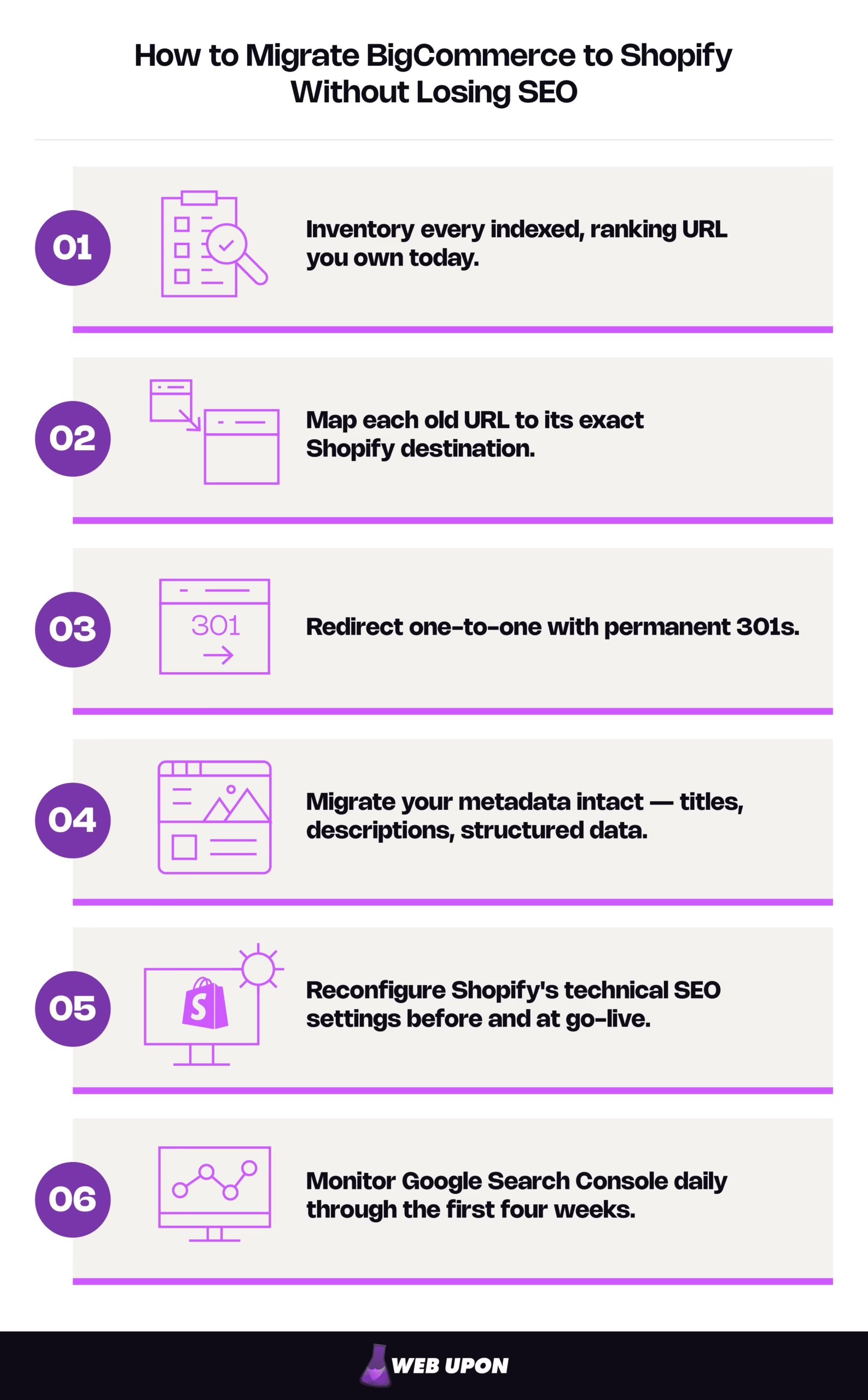
Will migrating from BigCommerce to Shopify hurt your SEO? Not if you do it correctly. Ranking loss in a replatform comes from skipped redirects and unmapped URLs, not from the platform change itself. You preserve your SEO by executing six steps in order:
- Inventory every indexed, ranking URL you own today.
- Map each old URL to its exact Shopify destination.
- Redirect one-to-one with permanent 301s.
- Migrate your metadata intact — titles, descriptions, structured data.
- Reconfigure Shopify’s technical SEO settings before and at go-live.
- Monitor Google Search Console daily through the first four weeks.
Do these six things in sequence and a page’s ranking signals follow it to its new address. Skip one and you leave SEO equity on the floor.
How long do rankings take to recover after a BigCommerce-to-Shopify migration? With clean redirects, expect a temporary re-crawl and reindex wobble over roughly a few weeks as Google reprocesses your new URLs; larger catalogs can take longer. What you should not see is a sustained drop in indexed pages or a spike in errors, which signals a redirect or canonical gap rather than normal reindexing. Everything below is about how to migrate from BigCommerce to Shopify without surrendering the SEO you’ve built — and, just as important, how to know the difference between normal post-launch turbulence and a real problem.
This guide serves two people who usually sit on either side of an ecommerce replatforming project: the one protecting revenue, rankings, and reporting continuity, and the technical lead who owns go-live risk and needs implementation-grade detail. Before you touch anything, the highest-leverage work is a clear-eyed pre-migration SEO audit.
Pre-Migration SEO Audit and Strategic Planning for BigCommerce to Shopify
Everything that preserves your search rankings is decided before a single product is imported. This phase is the single highest-leverage insurance you can buy against ranking loss, because it produces the one artifact the rest of the migration depends on: a complete map of what you have and where it’s going.
Conducting a Full SEO Equity Inventory Before You Touch Anything
You cannot protect what you haven’t counted. Start by crawling your entire BigCommerce store to document every indexed URL — product pages, category pages, blog posts, and the filtered navigation pages that quietly accumulate over the years. Then export your ranking keywords, organic traffic, and top-performing pages from Google Search Console (Google’s free tool for monitoring how your site appears in search) and your analytics platform. Capture this before migration begins; once the old store is gone, so is the baseline.
Two lists matter most. Pull your pages ranked by organic traffic, and separately, your pages ranked by referring domains — the external sites linking to you. The overlap between those two lists is your protect-at-all-costs tier. These are the URLs where a single missed redirect does compounding damage: you lose the traffic and the external link equity that was feeding it. Flag them now so they get manual verification later, not a place in a spreadsheet no one rechecks.
Finish the phase with three tangible deliverables: a full URL inventory sheet, a top-pages-by-traffic-and-links list, and a metadata baseline export documenting every existing title tag, meta description, and canonical tag. If you want a structured template for the equity side of this work, our walkthrough of an ecommerce website SEO audit covers the inventory in depth.
Mapping Your BigCommerce URL Structure to Shopify’s URL Architecture
This is the technical heart of the migration, and it rests on a fact that surprises people: Shopify’s URL prefixes are fixed and cannot be removed. You can edit the final handle — the readable slug at the end of a URL — but you can never strip /products/, /collections/, /blogs/, or /pages/. BigCommerce, by contrast, lets you run flatter, more customizable paths.
The practical consequence is stark. Because every path prefix changes, there is no category of URLs that stays the same and can be skipped. One hundred percent of your indexed URLs need a mapping decision. So you build a comprehensive mapping spreadsheet that pairs every old BigCommerce URL with its exact Shopify destination before go-live.
BigCommerce → Shopify URL structure:
| Page type | BigCommerce (typical) | Shopify (forced) |
| Product | example.com/wireless-headphones/ | example.com/products/wireless-headphones |
| Collection / category | example.com/audio/ | example.com/collections/audio |
| Blog post | example.com/blog/best-headphones/ | example.com/blogs/news/best-headphones |
| Brand / manufacturer | example.com/brands/acme-audio/ | example.com/collections/acme-audio (recreated as a collection) |
One trap deserves a callout for the technical lead. By default, Shopify can also expose a product through a collection path — /collections/audio/products/wireless-headphones — alongside the clean canonical /products/wireless-headphones. Shopify points a canonical tag (an HTML signal telling Google which version is authoritative) at the clean URL, but canonical tags are hints, not directives, and Google can ignore them. Treat this as a live duplicate-path risk to manage, not a solved one — it connects directly to the faceted-navigation work later.
Building Your Migration SEO Checklist and Timeline
A BigCommerce-to-Shopify migration fails quietly when SEO tasks get folded into the development backlog and silently deprioritized under launch pressure. The fix is structural: separate the work into distinct, testable phases, and assign SEO-preservation ownership separately from technical development so nothing falls between two people who each assumed the other had it.
Phased migration timeline:
| Phase | Core work | Sign-off checkpoint | Owner |
| 1. Prep | Inventory, URL map, metadata baseline | URL map approved | SEO lead |
| 2. Build / staging | Store build, metadata import, redirect prep | Redirect logic reviewed | Dev + SEO |
| 3. Redirects | Load and test 301s in staging | Redirects verified, no chains | Technical lead |
| 4. Go-live | DNS switch, sitemap submission | Reporting continuity confirmed | Founder / stakeholder |
| 5. Validation | Crawl-error watch, ranking checks | 4-week monitoring complete | SEO lead |
This table is about accountability and reporting continuity — knowing who signs off before any DNS change, and being able to prove afterward that organic performance was protected. Set your benchmarks here too: record keyword rankings, organic traffic volume, and indexed-page counts before launch so “did we lose anything?” becomes a measurable question, not an anxious guess.
Before you build, get the map right. A pre-migration SEO audit turns this checklist into a validated plan you can hand to a developer with confidence.
Redirect Strategy and Domain Authority Preservation During Migration
With the inventory and map complete, you reach the phase where equity is actually won or lost. Redirects are the bridges that carry your ranking value from old URLs to new ones. Build them well and the transition is nearly invisible to Google; build them carelessly and every broken link is authority poured down a drain.
Implementing a Resilient 301 Redirect Plan on Shopify
A 301 redirect is a permanent instruction that sends both visitors and search engines from an old URL to a new one, passing along the large majority of the old page’s ranking signals. That word permanent matters: use 301s for every migrated page, and never a 302 (a temporary redirect), which tells Google the move is provisional and holds the equity in limbo.
Now, a myth worth killing. You do not need to buy a third-party app just because you have thousands of SKUs. Shopify’s native redirect tool imports redirects in bulk from a CSV file and holds a large volume on standard plans — scale alone is not the trigger for extra tooling. The native system’s real limitation is different: it doesn’t support wildcard, regex, or pattern-based rules. That plus batch error-checking and ongoing monitoring is the only genuine reason to evaluate a dedicated redirect app, and if you do, describe its job to yourself plainly and vet it before installing.
Which redirect method to use:
| Your situation | Method |
| Small catalog, occasional URL change | Native URL redirect manager, entered individually |
| Full migration, hundreds to thousands of URLs | Native bulk CSV import (Content → Menus → URL redirects → Import) |
| Pattern or wildcard needs (whole parameter families) | A vetted third-party redirect app — the native tool has no wildcard support |
Two implementation notes save real traffic. First, Shopify’s own table will refuse to create an internal redirect chain (A → B → C), which is genuinely helpful, but chains still form in ways it can’t catch such as an external backlink pointing at a URL you later change again. So “flatten every chain to a single hop” is an inbound-link and post-launch discipline, not something the redirect table handles for you. Second — and this is the single most common self-inflicted wound — when you edit any product, collection, or page handle in Shopify, there’s an option to create the matching redirect. Skip it and the old URL simply returns a 404. Make “always create the redirect when a handle changes” an explicit line in your runbook. Finally, test every redirect in a staging environment before go-live to confirm there are no loops or broken destinations.
Handling Complex URL Redirect Scenarios Unique to BigCommerce Migrations
This is where expert guidance separates from generic advice. BigCommerce stores generate URL patterns that don’t map cleanly onto Shopify, and each needs a deliberate decision.
Complex redirect scenarios:
| BigCommerce URL type | Recommended action | Why |
| Faceted / filtered parameter URLs | Canonicalize or noindex; 301 only the indexed, linked ones. | Stops thin duplicate URLs from wasting crawl budget. |
| Discontinued product | 301 to the nearest relevant collection or product. | Preserves topical relevance; a homepage redirect fails. |
| Blog post | 301 to the new /blogs/{handle}/{post} URL. | Shopify’s forced blog path breaks all old blog backlinks otherwise. |
| Brand / manufacturer / tag page | Recreate as a collection, or 301 to the closest collection. | Prevents orphaning that page’s backlink equity. |
The discontinued-product rule earns special emphasis because the intuitive shortcut backfires. Redirecting a dead product to your homepage feels tidy, but Google frequently treats an irrelevant redirect as a soft 404 — a page it decides is effectively missing — which means the destination is ignored and the equity evaporates anyway. A redirect only passes value when the destination is topically close to the original. That’s why the rule is always the nearest relevant collection or product, never the homepage.
Faceted navigation — the filter combinations (?color=blue&size=large) that generate huge volumes of near-duplicate indexed URLs — is the other big one. Most of these should be canonicalized or noindexed rather than redirected; you only spend 301s on the filtered URLs that genuinely earned traffic or links. And choose your blog handle deliberately before import: Shopify’s blog lives at /blogs/{blog-handle}/{article-handle}, and if you literally name the blog “blog” you get the clumsy /blogs/blog/… so picking a clean handle up front — a topical word, or the conventional “news” — matters because changing it later forces you to redirect every post a second time.
Protecting Backlinks and External Link Equity Through the Transition
Redirects preserve link equity automatically, but you can do better than automatic for your most valuable links. Identify the external links pointing to URLs that will change — Google Search Console’s link report is the starting point — and for your highest-authority referring domains, reach out and ask them to update the link directly to the new Shopify URL.
The reason is worth stating plainly: a single, direct 301 passes more equity than a chain of them. Every hop leaks a little value and adds a little latency, and search crawlers aren’t infinitely patient with long redirect paths. So after launch, watch for backlinks landing on chains and flatten them to one direct redirect. Keep destinations topically aligned with what the original link pointed to, so the anchor-text relevance that made the link valuable survives the move.
Shopify SEO Configuration, Metadata Migration, and Technical Optimization
Redirects protect the equity you already have. This phase makes sure Shopify is configured to hold it and build on it — the work of your first 48 hours on the platform.
Migrating and Optimizing Metadata from BigCommerce to Shopify
Years of hand-tuned title tags and meta descriptions are an asset, and Shopify has a quiet way of erasing them. Export all your BigCommerce page titles and meta descriptions and import them into Shopify, and audit the result for length, keyword relevance, and uniqueness.
Here’s the exact trap: when a Shopify SEO field is left blank, the theme fills it from a generic default, often just the product or store name. Metadata isn’t lost in a way you’d notice; it’s silently overwritten on every page you didn’t explicitly populate. Some themes also hardcode or duplicate title tags at the template level, so spot-check the rendered page title on a live product, collection, and blog page, not only the admin fields. And where BigCommerce held custom metadata with no direct Shopify equivalent, recreate it using metafields (Shopify’s system for storing custom data on a record) or a suitable app you’ve vetted.
Configuring Shopify’s Technical SEO Settings Post-Migration
Some of Shopify’s technical SEO is automatic, and some needs your hands on it. Two facts to state plainly for whoever owns go-live: Shopify auto-regenerates your XML sitemap (the file that lists your pages for search engines) and automatically provisions HTTPS and resolves the www-versus-non-www question — so don’t hand-build those. But you must set the primary domain correctly before launch, or authority splits across domain variants. And budget 24 to 48 hours for DNS propagation and SSL provisioning on cutover; your crawl-error watch begins the moment the domain flips, not the next business day.
Shopify go-live technical SEO checklist:
- Submit the new XML sitemap to Google Search Console.
- Verify canonical tags across product, collection, and blog pages.
- Noindex Shopify-generated duplicates (tag pages, sort-filtered pages, paginated collections) that dilute crawl budget.
- Confirm the primary domain and DNS switch.
- Monitor crawl errors in Search Console within the first 48 hours.
For the details Shopify maintains directly, keep Shopify’s Help Center documentation on URL redirects and its SEO settings pages open during launch. If configuring all of this under go-live pressure isn’t where your team’s time is best spent, we offer Shopify SEO services for exactly this window.
Transitioning Navigation Structure Without Disrupting Internal Link Equity
Recreate your navigation hierarchy in Shopify with the same logical depth, so crawlers keep the same clear pathways to your deep product and category pages. Use Shopify’s menu and link-list system to keep the architecture flat and crawlable, and mirror your collection hierarchy in the theme’s breadcrumbs to reinforce topical relationships.
Then do the step readers most often skip, because they assume redirects cover it: internal-link cleanup is not the same as the redirect layer. Redirects catch a visitor arriving at an old URL from outside. They do nothing about the old BigCommerce URLs still hardcoded inside your own content — links buried in blog posts, product descriptions, and landing pages. Every one of those now fires an unnecessary redirect hop that leaks a little authority and crawl efficiency. Audit your content and update those links to point directly at the new URLs.
Post-Migration SEO Monitoring, Recovery, and Long-Term Growth on Shopify
With the store live and configured, the work shifts from preventing loss to watching for it, and then finally, to the growth this whole move was supposed to unlock.
Establishing a Post-Go-Live SEO Monitoring Protocol
For the first four weeks, watch daily. The goal is a real-time benchmark against the numbers you recorded before launch, so a problem surfaces in hours, not in next month’s report.
Post-launch monitoring:
| Metric | Where | How often | Red flag |
| Indexed page count | Google Search Console | Daily (weeks 1–4) | Any sudden, sustained drop |
| Crawl errors & soft 404s | Google Search Console | Daily | New spikes after go-live |
| Priority keyword rankings | Rank tracker (top 50–100 terms) | Daily / weekly | Sustained loss vs. benchmark |
| Organic sessions | Analytics platform | Daily | Decline beyond normal wobble |
| Redirect coverage | Crawl + Search Console | Weekly | Missed mappings or chains |
Set up rank tracking for your top 50 to 100 priority keywords before go-live, and configure your analytics to isolate organic traffic from other channels, otherwise you can’t tell a migration effect from a coincidental email campaign. Watch especially for soft 404s and redirect anomalies, which often don’t surface on day one but erode visibility quietly over the following weeks.
Diagnosing and Recovering from Post-Migration SEO Drops
Know normal from broken. A brief re-crawl wobble over a few weeks is expected; a sustained drop in indexed pages or a spike in errors is a redirect or canonical problem to fix immediately. Here is the distinction that will save you from your own panic, because the wrong reaction to normal turbulence can cause real damage.
A normal re-crawl wobble looks like this: rankings dip and then partially recover over a few weeks, while your indexed-page count and redirect coverage stay healthy. Google is simply reprocessing your new URLs. Expect it. Don’t touch anything structural.
A real problem looks like: indexed pages falling and staying down, a spike in soft or hard 404s, or “crawled – not indexed” climbing on your priority URLs. That’s your signal to run an immediate redirect-and-canonical audit: hunt for missed mappings, broken chains, or theme changes that altered canonical outputs. When a high-priority page is slow to reindex, resubmit the sitemap and use the URL Inspection tool in Search Console to request a recrawl directly. And if the audit reveals a high-value page that never made the migration at all, restore it — prioritizing the pages with the strongest backlink profiles and historical rankings.
The first situation calls for patience; the second calls for action. Knowing which you’re looking at is the whole game.
Leveraging Shopify’s Marketing-Led Ecosystem for Long-Term SEO Growth
And now the payoff. The rigid content architecture that made BigCommerce feel constraining at scale gives way to a platform where your marketing team, not just your developers, can drive growth. Use Shopify’s native blogging and content tools to rebuild and expand the topical authority you may have felt boxed out of building before. Its app ecosystem lets you add structured data, meta-tag optimization, and alt-text management at scale.
The deeper shift is one of ownership: SEO maintenance moves from developer-dependent tickets to marketing-led workflows you control through an accessible theme editor and integrations. Build a growth roadmap from the keyword gaps your pre-migration audit already surfaced, and execute the content and technical plays BigCommerce couldn’t accommodate. This is where a migration stops being defensive. Ongoing ROI-focused content audits keep that roadmap honest, and if the aim is content that drives sales rather than traffic for its own sake, that’s the standard to hold every new page to.
Keep Every Ranking and Gain Shopify’s Agility
A disciplined, redirect-first migration lets you keep every ranking and gain Shopify’s agility. The whole method fits in six moves: inventory every ranking URL, map each to its exact Shopify destination, redirect one-to-one with 301s, migrate your metadata intact, reconfigure Shopify’s technical SEO, and monitor Search Console daily through the first four weeks.
Your next step depends on which side of the migration you sit on. If you’re mostly concerned about revenue, rankings, and reporting, the decision in front of you is whether to run this in-house or bring in a partner who has sequenced it many times before. If you’re the technical lead, it’s to validate the URL map and redirect plan in staging before a single DNS change. Either way, contact Web Upon if you need BigCommerce-to-Shopify migration support. We de-risk the move and preserve your SEO equity, and our Shopify SEO services pick up where the launch leaves off.


