The migration goes live on a Friday. By Monday morning, the organic-traffic line that took nine years to build is lying flat against the floor of the dashboard, and half the product pages that used to rank are answering visitors with a “404 — page not found.” That is the scene every store owner pictures when they think about leaving Magento. It is also almost entirely preventable.
Your search rankings survive a move from Magento (now Adobe Commerce) to Shopify when you treat the project as one thing above all else: the conservation of search equity. Audit everything that currently carries ranking value, build a 1:1 301 redirect map, preserve on-page elements and content, reconcile Magento’s deep structure with Shopify’s flatter one, then monitor closely for ninety days. Deep traffic losses come from missing redirects and lost on-page signals. With a complete redirect map and preserved content, most stores see only a brief, shallow dip as Google re-crawls.
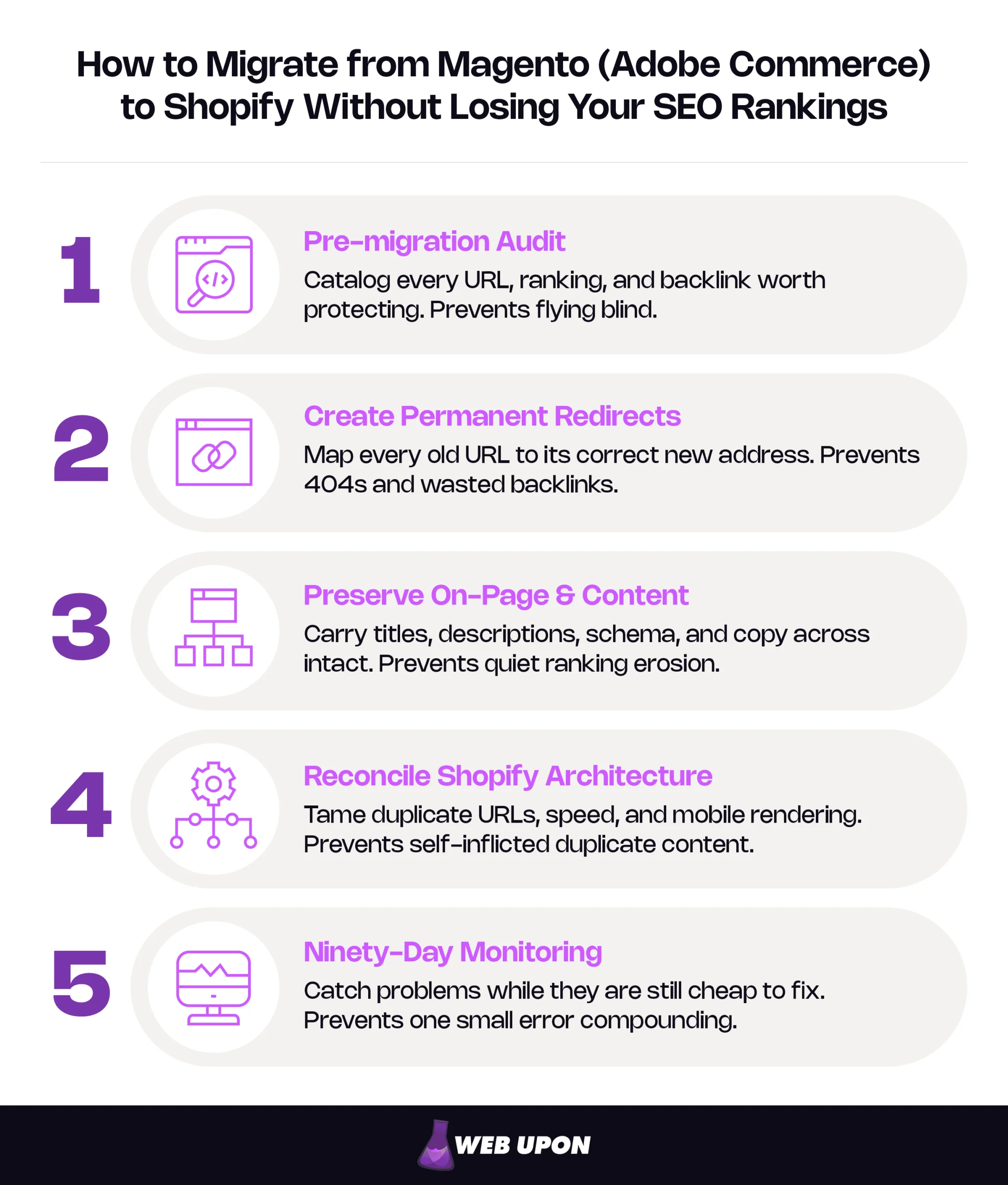
| Phase | What it accomplishes | The disaster it prevents |
| 1. Pre-migration audit | Catalog every URL, ranking, and backlink worth protecting | Flying blind — you cannot protect what you never inventoried |
| 2. Create permanent redirects | Map every old URL to its correct new address | 404s that strand visitors and waste years of backlinks |
| 3. Preserve on-page & content | Carry titles, descriptions, schema, and copy across intact | Quiet ranking erosion from lost signals |
| 4. Reconcile Shopify architecture | Tame duplicate URLs, speed, and mobile rendering | Self-inflicted duplicate content and wasted crawl budget |
| 5. Ninety-Day monitoring | Catch problems while they are still cheap to fix | One small error compounding into a crater |
The discipline of protecting what already ranks is the entire game. Before walking through each phase, it’s worth understanding exactly why these migrations put rankings at risk in the first place.
Why Leaving Magento Puts Your Rankings at Risk
The Hidden SEO Debt That Makes These Migrations Uniquely Dangerous
Magento lets you build deeply nested category paths — /mens/shoes/running/trail-shoe.html — and over the years those paths quietly accumulate value. Each one becomes an indexed URL: a page Google has crawled, stored in its index, and is willing to show in search results. Shopify does not organize this way. Its structure is deliberately flat, and it cannot recreate Magento’s nested hierarchy on its own.
That mismatch is the hidden debt. A platform refresh changes how a site looks; a CMS migration changes the URL of nearly every page, the architecture that connects them, the internal links that pass equity between them, and the way crawlers move through the whole thing, all at once. Four simultaneous changes, each one capable of moving rankings, firing together. That is why this particular switch carries more SEO risk than almost any other change you can make to a store, and why every decision that follows should be made in service of one goal: nothing of value gets lost in the move.
What a Rankings Collapse Actually Costs
When a migration goes wrong, the cost is not abstract. Organic traffic can fall by a third to two-thirds in the weeks after launch, and because rankings drive revenue, the shortfall compounds every single day the problem goes unsolved. Worse, Google’s re-crawling and re-evaluation cycles mean the damage can linger for three to six months even after you have fixed the underlying error. Prevention is cheap. Recovery is not.
The magnitude of the loss is mostly within your control. A migration where every high-value URL has a correct redirect waiting on day one typically sees only a shallow, short dip — a few weeks of wobble while Google re-crawls — before rankings settle back. The deep, sustained craters are the signature of missing redirects, not of migration itself. The number is not fate. It is a readout of how disciplined your redirect work was. The single most effective way to avoid the cost, then, is to know precisely what you have to protect — which is where the audit comes in.
Conduct a Pre-Migration SEO Audit Before You Touch a Single URL
Crawl and Catalog Every Indexed URL That Carries Ranking Value
You cannot protect what you have not listed. Begin by running a full crawl of the Magento storefront with a site-crawl tool — options such as Screaming Frog, Sitebulb, or Ahrefs Site Audit all do the job — and export a complete inventory of every live, indexed URL. Capture all of it: product pages, category pages, CMS pages, blog posts, and the filtered navigation URLs that Magento’s layered navigation tends to generate over time. For each high-value page, record the existing meta title, meta description, canonical tag, schema markup, and image alt text, because those are the on-page signals you will be carrying across.
One refinement separates a thorough audit from a superficial one. A crawler only finds what is linked, which means it can miss orphaned pages — pages that still rank and still earn clicks but no longer sit in your navigation. Pull your indexed-URL list from Google Search Console as well, and reconcile it against the crawl. The goal is an inventory of everything Google currently knows about, not just everything your site happens to link to.
This audit phase is the moment most owners realize how much is genuinely at stake; if you’d rather not run it alone, it’s exactly the kind of work a pre-migration SEO audit specialist team can shoulder.
Benchmark Your Rankings as a Migration Baseline
Next, capture where you stand today. Export your current keyword positions from a rank-tracking tool or Search Console, and tag each ranking by page type — product, category, blog, CMS. That tagging matters later: when something dips after launch, you want to diagnose it at the page-type level rather than staring at a single site-wide line. Record crawl depth, internal-link counts, and structure metrics too, so you can measure how Shopify’s flatter architecture reshapes the site. This baseline becomes your diagnostic instrument — the thing that tells normal post-launch fluctuation apart from real, migration-caused damage.
Audit Your Backlink Profile to Find URLs That Cannot Afford to Break
Finally, pull a full backlink report from a backlink-analysis tool and find the Magento URLs receiving the most external links. These are non-negotiable. A broken backlink — one pointing at a page that now returns a 404 — pours accumulated credibility straight onto the ground. Flag any links already pointing at redirected or canonicalized URLs, since those represent leakage worth fixing before you migrate. Combine this backlink data with your traffic data and you have a prioritized protection list: the exact set of URLs your redirect strategy must get right first.
With a ranked inventory of what carries value, the next job is making sure every one of those URLs lands somewhere correct on Shopify.
Build a Bulletproof URL Mapping and 301 Redirect Strategy
Understand How Magento and Shopify URLs Differ
Nearly every URL changes. Shopify’s flat /products/, /collections/, /pages/, and /blogs/ structure means almost every Magento path will move, so map each one before launch. Shopify enforces fixed URL patterns. Where Magento let you craft custom keys, Shopify gives you four shapes and four shapes only:
| URL type | Magento pattern (example) | Shopify pattern | What changes |
| Product | /mens/shoes/running/trail-shoe.html | /products/trail-shoe | Nesting and .html both vanish |
| Category | /mens/shoes/running/ | /collections/running | Hierarchy flattens to a single level |
| CMS page | /about-us.html | /pages/about-us | /pages/ prefix added, .html dropped |
| Blog post | /blog/post-title.html | /blogs/news/post-title | Blog handle inserted, .html dropped |
The .html suffix that runs through most Magento stores simply does not exist on Shopify, so virtually every product and category URL will change by default. That is not a flaw to fix; it is a fact to plan around.
Create a 1:1 Redirect Map for Every High-Value Page
Before you implement a single redirect, build a mapping spreadsheet that pairs every Magento source URL with its exact Shopify destination. Map products from their nested Magento paths to Shopify’s /products/ structure, categories to /collections/, and CMS and blog content to /pages/ and /blogs/.
| Magento source URL | Shopify destination URL |
| /mens/shoes/running/trail-shoe.html | /products/trail-shoe |
| /mens/shoes/running/ | /collections/running |
| /about-us.html | /pages/about-us |
Where the old URL ends in a clean handle, carry that same handle into Shopify — …/trail-shoe.html becomes /products/trail-shoe, not /products/trail-shoe-2. Matching handles isn’t required for the redirect to function, but it keeps anchor text, breadcrumb labels, and any hard-coded internal links aligned, and it shrinks the list of genuinely new slugs you have to check after launch.
Implement Your 301 Redirects Correctly
A 301 redirect is a server’s way of saying “this page has moved permanently — update your records.” It is the right tool here because it is unambiguous, it resolves instantly, and it is the version Google consolidates around for a permanent move. Use a true 301 for every relocated URL — never a temporary 302, and never a meta-refresh or JavaScript redirect, which are slower and read less reliably to search engines. Shopify’s native redirect manager accepts bulk CSV uploads, which makes implementing thousands of redirects manageable for large catalogs; for a small store, entering them by hand is perfectly fine.
301s do not lose equity per hop, but you should still collapse redirect chains to a single hop. Chains waste crawl budget, add latency for users, risk Googlebot giving up if the chain runs long, and multiply the points where something can break. So point each old Magento URL directly at its final Shopify destination. One clean hop, no intermediaries. Then crawl the live site and confirm every redirect returns the right status code, lands on the right page, and forms no loops.
Handle Magento’s Layered Navigation and Filtered URLs
Magento’s layered navigation generates filtered URLs — by size, color, price — and some of them quietly earn traffic and links over the years. That makes them both an asset and a liability: an asset when they rank or attract backlinks, a liability because they multiply near-identical pages that compete with each other for the same keywords. Audit which filtered URLs actually carry value before deciding whether to redirect them or fold them into their parent collection. On Shopify, filtered collection views use parameter strings; point those at the clean collection URL with a canonical tag, and disallow the low-value ones in robots.txt so crawlers spend their time on pages that matter.
Redirect mapping is the most error-prone phase of the entire move, which is also why it’s the one most worth a second set of expert hands. Redirects protect where your pages live; the next phase protects what those pages say.
Preserve On-Page SEO Elements Across the Transition
Migrate Meta Titles, Descriptions, and Canonical Tags Without Data Loss
Export all your Magento meta titles and descriptions before migration, stored in a structured spreadsheet keyed to product, category, and page IDs. Shopify’s product, collection, and page editors all include native meta fields — populate them during import rather than scrambling to backfill them after launch. A canonical tag, worth defining here, is a small piece of code that tells Google “this is the master version of this page” when several URLs show similar content. Verify that Shopify’s default canonical implementation self-references each page correctly, then audit it with a crawl tool afterward to confirm the theme or an app hasn’t pointed any page at the wrong master URL.
Transfer Schema Markup to Shopify’s Theme Layer
Schema markup — the structured data that can earn you rich results, the enhanced listings with stars, prices, and breadcrumbs — usually has to be rebuilt by hand inside Shopify’s Liquid theme files. Shopify themes ship with some default schema, but product markup often omits fields a mature Magento store included, such as aggregateRating, offers, condition, and brand. Two points keep this work focused. First, prioritize the schema that still earns enhancements: Article, BreadcrumbList, Product, and Organization all continue to produce or support rich results. Second, don’t spend effort on schema that no longer pays off — Google deprecated HowTo rich results back in 2023, and FAQ rich results were retired from Search on May 7, 2026, so neither produces a visual enhancement anymore. Validate everything you do rebuild in Google’s Rich Results Test before launch; broken or missing schema can quietly dent your click-through rates even when rankings hold.
Migrate Product Descriptions, Blog Posts, and CMS Pages With Full Fidelity
Product descriptions do double duty as conversion copy and keyword-rich on-page content, so migrate them with their HTML formatting intact rather than flattening them to plain text. Blog posts need their original publish dates, internal links, alt text, and heading structure preserved. CMS pages — buying guides, informational content — often hold rankings that depend on the content matching word for word, so verify them carefully. A content-diff tool, which compares the migrated version against the original and highlights any difference, will catch the truncation and encoding errors that are otherwise invisible until a ranking slips.
Preserve and Rebuild Your Internal Linking Architecture
Internal links — your navigation, breadcrumbs, related-product modules, and in-content links — distribute ranking power across the site in a pattern Google has spent years learning to value. Audit which pages receive the most internal links in Magento before you move, then rebuild Shopify’s navigation to replicate those primary pathways, keeping your top categories and products well-linked from the header and homepage. And update in-content links inside blog and CMS pages to point at the new Shopify URLs directly, rather than leaning on redirects to carry that equity for you. Once content and on-page signals are intact, attention shifts from preservation to optimization.
Optimize Shopify’s Technical SEO Architecture After Launch
Configure the XML Sitemap and Robots.txt for Accurate Indexing
Shopify auto-generates an XML sitemap at /sitemap.xml covering products, collections, pages, and blog posts — submit it to Google Search Console the moment you launch. Confirm it excludes low-value and noindexed pages, then customize crawling rules through the editable robots.txt.liquid file, disallowing checkout, account, cart, and low-value parameter URLs. Watch the Coverage report closely in the weeks that follow to spot any unexpected indexation drops the new configuration introduces.
Manage the Duplicate Content Shopify Quietly Creates
This is where many migrations leak rankings without anyone noticing. When a product belongs to several collections, Shopify generates a separate URL for each context — /collections/summer/products/dress and /collections/sale/products/dress alongside the clean /products/dress. Shopify auto-canonicalizes those back to the clean product URL, which sounds like a complete fix. It isn’t, quite, and the reason is the most important technical insight in this section: a canonical tag is a suggestion, not a command. Google honors it most of the time and ignores it a meaningful share of the time, and when it ignores yours, your ranking signals fragment across half a dozen near-identical URLs.
The durable fix is to make every signal agree. Point the theme’s internal links at the clean /products/ URL — in most themes this means removing the within: collection Liquid filter that produces collection-aware product links — so that your internal links, your canonical tags, and your sitemap all name the same address. When all three agree, Google has no reason to index the wrong one.
Keep an eye on the crawl-budget multiplier while you’re here. Variant URLs (?variant=…) spawn their own duplicates and should canonicalize to the base product, and the combination escalates fast: a 500-product store whose items each sit in a few collections and carry a few variants can expose several thousand crawlable URLs for a few hundred real pages. Confirm both variants and collection-context URLs consolidate to the canonical product URL, and disallow the noisy parameter strings, so Googlebot spends its limited crawl on pages that actually rank.
Improve Site Speed and Core Web Vitals
Leaving Magento often delivers a speed dividend on its own — Shopify’s managed infrastructure replaces the server tuning, caching, and CDN work a Magento store demanded. But theme bloat, heavy third-party app scripts, and unoptimized images can hand that gain right back. Core Web Vitals are the three metrics Google uses to grade real-world experience, and they have concrete pass marks, measured at the 75th percentile of actual visitor data:
| Metric | “Good” threshold | What hurts it |
| LCP (Largest Contentful Paint) — load speed | under 2.5 seconds | Heavy hero images, slow server response, render-blocking CSS |
| INP (Interaction to Next Paint) — responsiveness | under 200 milliseconds | Excessive third-party app JavaScript, long main-thread tasks |
| CLS (Cumulative Layout Shift) — visual stability | under 0.1 | Images and embeds without set dimensions, late-loading fonts and banners |
Two nuances matter for a freshly migrated store. INP replaced the older First Input Delay metric in 2024 and is now the one most sites fail, because it reflects JavaScript responsiveness — precisely what app-heavy Shopify themes strain. And a lab score is not a field score: a green result in a PageSpeed Insights lab run can coexist with a failing grade on real visitors’ mid-range phones, because Google grades the field data, not your test machine. Compress and convert migrated images to WebP, lazy-load below-the-fold media, and trim app-injected scripts to protect the speed Shopify hands you. For a deeper treatment, see about improving Shopify site speed after Magento.
Don’t Let Mobile Optimization Slip During the Theme Change
Swapping a custom Magento theme for a Shopify one changes how pages render on phones, and Google indexes the mobile version of your site first. Test every page type on real devices, confirm that mobile navigation, breadcrumbs, and internal links survive the new theme, and treat mobile Core Web Vitals as a pre-launch priority rather than a post-launch cleanup — they carry direct ranking weight. Optimization only holds if you can see what’s happening after launch, which makes monitoring the difference between catching a problem and discovering a crater.
Monitor, Validate, and Recover After Launch
Set Up Search Console and Analytics to Read Migration Signals
Verify the Shopify domain in Google Search Console and submit your sitemap within the first hour. Configure alerts for crawl errors, manual actions, and coverage drops so problems surface before they compound, and build Google Analytics 4 segments that isolate organic traffic by page type — product, collection, blog, CMS — for precise diagnosis. Then compare everything, week over week and month over month, against the baseline you captured during the audit.
A practical note that saves confusion: if you are keeping the same domain and only changing platforms, you don’t need Search Console’s Change of Address tool — that’s for domain moves. Do keep both the old and new properties verified through the transition so you can watch old URLs leave the index and new ones enter it. And use the URL Inspection tool’s “Validate Fix” flow to actively prompt re-crawling of corrected pages instead of waiting for Google to find them.
Run a Post-Migration Crawl Audit
Within 48 hours of launch, crawl the entire site and confirm every 301 resolves to its intended destination. Any 404 the crawl surfaces is a missing redirect — fix it immediately, before the lost equity accumulates. Verify that high-priority pages return clean 200 status codes, sit in the sitemap, and are not accidentally blocked by robots.txt or a stray noindex tag. Finally, cross-reference the crawl against your pre-migration inventory so that every URL you cataloged has either a redirect or a live equivalent. Nothing falls through if you check it against the list.
Diagnose and Recover From Ranking Drops
Some movement after launch is normal — Google re-crawling and re-scoring the site. The skill is telling that temporary wobble apart from a structural error causing sustained loss. When one page type drops disproportionately, audit that type for redirect accuracy, content fidelity, canonical correctness, and internal-link preservation. Resubmit the affected URLs through Search Console’s URL Inspection tool to speed re-evaluation, and for your highest-value backlinks, consider asking the referring sites to update their links straight to the new URL — reducing your dependence on redirects to carry that equity indefinitely. Everything above distills into a single executable sequence.
The Magento-to-Shopify Migration SEO Checklist
A terse recap you can copy into a project plan. Each item is explained in full above.
Before migration — the work that decides whether rankings survive:
- Crawl-based inventory of every indexed Magento URL, reconciled against Search Console.
- Keyword-ranking and organic-traffic baselines, tagged by page type.
- Backlink audit identifying the URLs that must have redirects on day one.
- Structured export of all meta titles, descriptions, product copy, blog content, schema, and alt text.
Launch day and immediately after:
- All 301 redirects activated in Shopify’s redirect manager before DNS points to the new store.
- Sitemap submitted to Search Console within the first hour; top pages submitted for indexing.
- Immediate post-launch crawl to validate redirects, surface 404s, and confirm canonicals.
- Core Web Vitals, mobile rendering, and schema validated on the live store before any public announcement.
The first ninety days:
- Search Console Coverage, Performance, and Core Web Vitals reviewed weekly.
- Top 50–100 keywords tracked daily for the first 30 days.
- Internal linking audited monthly to strengthen equity distribution.
- New Shopify content built to replace anything that couldn’t migrate cleanly, targeting the same keyword clusters.
The hands-on migration can be quick, but the SEO work around it — auditing beforehand and monitoring for ninety days after — is what defines the real timeline. Budget for that full arc, not just launch day.
Migrate Without Regret
A move from Magento to Shopify can preserve your rankings by treating the project as the conservation of search equity it really is, executed in the right order. Audit what you have, redirect every valuable URL to its correct new home, carry your content and signals across intact, reconcile Shopify’s architecture, and watch closely for ninety days. Do those five things in sequence and the nightmare of that flat-lined Monday dashboard simply doesn’t arrive.
A small catalog with simple URLs can be migrated by a capable owner using Shopify’s bulk redirect uploads. Larger stores with thousands of SKUs, layered navigation, and custom schema benefit from specialist help, because the redirect and canonical work is where rankings are most often lost. If the stakes feel too high to risk solo — and for a store with years of equity on the line, as they often are — that’s a reasonable moment to bring in a partner like Web Upon to help de-risk the transition.