One quote promises a website, CRM, email, and analytics under a single monthly subscription. A developer friend offers a few hand-coded pages that load in under a second and cost almost nothing to host. Most HubSpot vs. static HTML site decisions turn on one question: will you actually use the marketing machinery?
If not, pure HTML wins for simple, mostly static sites. If you will, HubSpot earns its keep. A hybrid covers the ground in between.
This HubSpot vs. HTML website comparison covers cost, speed, control, features, team fit, and a five-question checklist. One naming note: HubSpot’s website product, still widely called HubSpot CMS, is now sold as HubSpot Content Hub (formerly CMS Hub).
Key Takeaways
- Pure HTML for simple sites. Mostly fixed content with no active CRM or automation use gets faster pages, near-zero hosting costs, and no lock-in.
- HubSpot for active inbound. It pays off when CRM tracking, lead nurturing, and self-serve editing are used every week.
- Hybrid for the middle. A static front end with embedded HubSpot forms and tracking code can start on HubSpot’s free tools.
- Watch the Professional jump. A/B testing and full smart content sit in Professional, at $450 a month billed annually as of November 2026.
- Add-ons, not hosting, slow pages. HubSpot serves pages from a CDN; tracking scripts, chat widgets, and consent banners add the weight.
- Lock-in means templates. Content exports, but HubL templates must be rebuilt elsewhere.
HubSpot vs. Static HTML Site: The Short Answer
Choosing between a HubSpot website and pure HTML comes down to how much of HubSpot’s marketing engine you’ll actually put to work.
- Choose pure HTML if your site is mostly fixed content (a landing page, brochure site, portfolio, event page, or docs) and you don’t actively use CRM tracking, smart content, or marketing automation. You get faster pages, near-zero hosting costs, and no lock-in.
- Choose HubSpot if you run inbound marketing with live lead nurturing and non-technical people need to publish and test pages without a developer. You get one connected system for your website, contacts, email, and reporting.
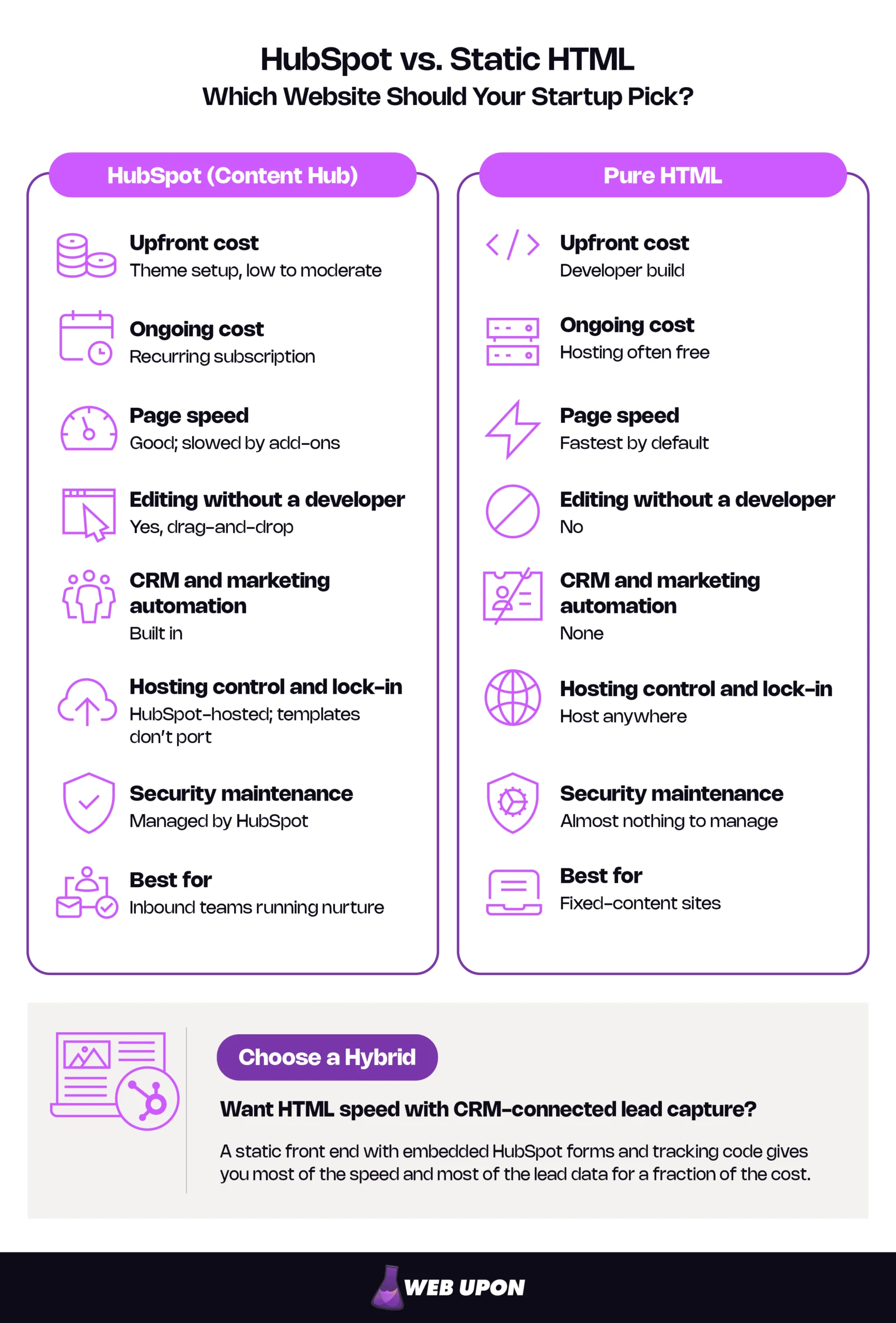
- Choose a hybrid if you want HTML speed with CRM-connected lead capture: a static front end with embedded HubSpot forms and tracking code. You get most of the speed and most of the lead data for a fraction of the cost.
| Factor | HubSpot (Content Hub) | Pure HTML | Hybrid |
| Upfront cost | Theme setup, low to moderate | Developer build | Developer build plus form setup |
| Ongoing cost | Recurring subscription | Hosting often free | Hosting plus optional HubSpot plan |
| Page speed | Good; slowed by add-ons | Fastest by default | Fast; tracking script adds weight |
| Editing without a developer | Yes, drag-and-drop | No | Forms only |
| CRM and marketing automation | Built in | None | Forms, tracking, CRM records |
| Hosting control and lock-in | HubSpot-hosted; templates don’t port | Host anywhere | Host anywhere |
| Security maintenance | Managed by HubSpot | Almost nothing to manage | Minimal; watch scripts |
| Best for | Inbound teams running nurture | Fixed-content sites | Lean sites needing leads |
If you aren’t using the CRM and automation, you’re paying for a platform you don’t need.
To see why these verdicts hold, start with what each option is.
What You’re Actually Choosing Between: Platform Power vs. Code Simplicity
HubSpot versus pure HTML is the classic static site vs. CMS choice: a platform that builds and manages pages for you, or plain files you control directly.
HubSpot as a Website Platform: More Than Just a CMS
HubSpot puts website hosting, a content management system (CMS), a CRM, marketing tools, and analytics behind one login. The website is only one part of that platform. The platform’s real value comes from the connection to the CRM, not from the page builder.
- A drag-and-drop editor lets marketers build and change pages without code.
- Smart content shows different versions of a page depending on who’s visiting, such as a returning customer versus a first-time visitor.
- HubDB (Content Hub Professional and above), HubSpot’s built-in database tables, powers dynamic pages like job boards or location listings without a separate tool.
Content Hub runs from free tools up through paid Starter, Professional, and Enterprise tiers, which the cost section breaks down. It’s built for non-developers, though the quality of the build and specialist HubSpot SEO work still decide how well those pages rank.
Pure HTML as a Website Approach: Back to Basics
A static site is a set of prebuilt HTML files that the server delivers exactly as written. Nothing is assembled when someone visits: no database lookup, no plugins, no CMS rendering layer.
A static HTML website needs coding knowledge or a developer to build and update. In return, you get lean, portable files you fully own. Hosting often costs nothing on services like GitHub Pages (free for public repositories), Netlify, or Cloudflare Pages.
Static site generators sit in the middle. They turn templates and plain text files into finished HTML, so updates get easier while the output stays static.
Now the first question most founders ask: what will each option actually cost?
The Real Cost Comparison: Subscription Overhead vs. One-Time Development
HubSpot and pure HTML spend your money in opposite ways. HubSpot sends an invoice every month. Pure HTML puts most of its cost upfront, in the build, and after that you pay only for updates.
HubSpot’s Pricing Structure and What You’re Actually Paying For
HubSpot Content Hub pricing starts at zero and climbs steeply once you need testing and personalization.
| Tier | Price (as of November 2026) | Seats included | Key features unlocked |
| Free | $0 | 2 | Drag-and-drop editor, hosting, custom domain, basic forms; HubSpot branding; 30 website and 30 landing pages |
| Starter | $20/seat/month (new-customer offers from $7/seat) | 1 per seat | Branding removed, custom templates, simple email |
| Professional | $450/month billed annually or $500 paid monthly | 3 core seats | Page A/B testing, full smart content, SEO recommendations, up to 10,000 pages, HubDB dynamic pages |
| Enterprise | From $1,500/month | 5 core seats | Multiple sites (10 root domains), content approvals, sandboxes, content partitioning, advanced permissions |
Prices and features are as of November 2026, and Starter discounts apply to new customers only; confirm current figures and promotions on HubSpot’s Content Hub pricing page.
- The Starter-to-Professional jump is the real budget risk. At list price, two Starter seats cost about $480 a year, while Professional runs $5,400 a year on annual billing, roughly 11 times more.
- Monthly billing costs more than annual billing (for Professional, $500 vs. $450 a month).
- Automation may sit elsewhere. Content Hub runs the website, but workflows require a Professional or Enterprise subscription to another hub, such as Marketing Hub, so many teams end up with a second subscription.
- Total cost of ownership goes beyond the invoice. Budget for theme purchases or a custom build, internal setup time, and partner support. Structured HubSpot CRM onboarding is often what separates a platform a team uses from one it merely pays for.
For a startup burning runway, the test is simple: count the paid features you’ll actually use this quarter.
Pure HTML’s True Cost: Developer Time Is the Real Variable
Pure HTML removes the platform fee, so development becomes the main investment. A simple brochure site or landing page usually takes days of developer time, not weeks, and hosting is often free.
- Maintenance scales with change. A site updated twice a year costs almost nothing to run, while one updated weekly turns into a standing developer bill.
- Payback comes fast for brochure sites and landing pages, often within months rather than years.
- A hidden cost appears when every headline tweak becomes a developer ticket for a non-technical team.
The cleanest estimate is hours × rate, which is how a good web design and development partner should quote it too.
When Budget Constraints Make the Decision for You
For a bootstrapped founder, $450 or more per month (as of November 2026) for features you’ll only partly use is hard to defend. Your real HubSpot website cost depends on the tier you need, so run the numbers before you commit.
- Annual HubSpot cost = monthly fee × 12 + onboarding and setup spread over the expected site life.
- Annual HTML cost = build cost spread over the expected site life + (update hours per month × developer rate × 12) + hosting.
- The verdict: if (2) is lower and you don’t use automation, HTML wins.
Here’s a hypothetical example. It assumes a $100/hour developer, a 40-hour HTML build, and a 20-hour HubSpot theme setup, with both spread over three years. It also assumes two hours of HTML updates per month, free static hosting, and HubSpot list prices as of November 2026.
| Option (hypothetical) | Estimated annual cost |
| HubSpot Content Hub Professional | about $6,070 |
| HubSpot Content Hub Starter, 2 seats | about $1,150 |
| Static HTML site | about $3,730 |
The honest takeaway cuts both ways. Starter is genuinely cheap, and for a team that updates often, it can undercut paying a developer. But the features most teams buy HubSpot for (page A/B testing and smart content on pages) require Professional or above. Meanwhile, an HTML site that changes once a quarter falls to roughly $2,100 a year.
Cost is only half the trade-off. The other half is how your site performs once it’s live.
Performance, Speed, and Technical Control: Where HTML Has the Edge
On speed and control, a static HTML site starts with structural advantages that HubSpot can match only with discipline.
Page Load Speed and Core Web Vitals
Open almost any marketing site with your browser’s developer tools and count the scripts. More than nine in ten web pages load at least one third party, and nearly a third of those third parties handle advertising, analytics, or consent management. Static HTML pages ship only what the page needs, so the browser has less to download and run.
HubSpot serves pages through its built-in CDN (a global network of servers that stores copies of your pages close to visitors), so raw hosting is rarely the bottleneck. The weight comes from what gets added on top: tracking scripts, chat widgets, cookie banners, and heavier templates and modules.
That weight shows up in Core Web Vitals, Google’s three measures of real-world page experience:
- Largest Contentful Paint (LCP) measures how fast the main content appears.
- Interaction to Next Paint (INP) measures how quickly the page responds to taps and clicks. It replaced First Input Delay in March 2024.
- Cumulative Layout Shift (CLS) measures how much the layout jumps around while loading.
INP is where add-on scripts hurt most. Each one competes with your own code for the browser’s main thread, so a page can look finished yet still hesitate when someone taps a button.
Google’s ranking systems reward good page experience, though the most relevant content still wins over a slightly faster page. Well-built static pages can reach the 90–100 “good” range on PageSpeed Insights. A well-optimized HubSpot page can perform well too; the gap comes from what teams bolt on.
| Source of page weight | Typical on HubSpot | Typical on pure HTML |
| Tracking and analytics scripts | HubSpot tracking code plus any extras | Only what you add |
| Chat widget | Common, often loaded on every page | Rare |
| Cookie consent | Built-in banner script | Lightweight or none |
| Template and module code | Theme and module CSS/JS | Hand-written, page-specific |
| Hosting and caching | CDN with caching | CDN with caching |
If your pages are slow today, you may not need to switch platforms. Targeted site speed optimization often fixes the scripts and assets dragging them down.
Hosting Flexibility and Infrastructure Ownership
A HubSpot website lives on HubSpot’s hosting, and you can’t run it as is on another host. Static site hosting works the other way: HTML files run anywhere, move in minutes, and can sit behind any global CDN.
Be precise about vendor lock-in. Your pages, blog posts, and even template files can be exported from HubSpot as HTML, but templates written in HubL and HubSpot-specific modules won’t work anywhere else. Leaving means rebuilding your templates and design, not your entire site.
Any migration also needs a URL plan. Keeping page addresses identical, or permanently (301) redirecting every old one, protects the rankings you’ve already earned.
For operators, HTML also allows custom server rules, edge deployments, and whatever build pipeline you prefer.
Security Surface Area and Vulnerability Exposure
HubSpot is a fully hosted service, so it handles platform security for you, including SSL, a web application firewall, and 24/7 threat monitoring. Static HTML has almost no server-side attack surface, because no database or application code runs on the server.
Either way, the main risks are the same: third-party scripts you add, which affect privacy and security as well as speed, and how well you protect your account and hosting logins. For lean teams without security staff, the choice is “managed for you” versus “almost nothing to manage.” Static HTML is the simpler of the two to reason about.
Functionality, Flexibility, and Customization: Where HubSpot Has the Edge
HubSpot’s strongest argument isn’t its page builder. It’s what happens to a visitor after they arrive.
HubSpot’s Built-In Marketing and CRM Ecosystem
HubSpot natively connects website behavior, contact records, email workflows, and lead scoring. Smart content, forms that shorten for contacts HubSpot already knows, and behavior-based CTAs come built in. Pure HTML can’t replicate these without several third-party tools stitched together.
Here’s a hypothetical flow of how a website visit becomes a HubSpot contact, email, and sales lead at a five-person B2B SaaS startup:
- A visitor reads two pricing pages and downloads a security guide.
- The form submission creates a contact record that already includes those page views.
- A follow-up email sequence starts automatically.
- The contact crosses a lead-score threshold, and sales gets a notification.
- The sales rep opens the record and sees exactly which pages the prospect read.
Marketers can also update content, run A/B tests, and launch campaigns without developer help. For growth-stage companies running inbound, that leverage compounds, especially with sound HubSpot CRM strategies behind it.
Customization Depth: HubSpot’s HubL vs. Raw HTML Control
HubSpot templates use HubL, HubSpot’s own templating language, an extension of the Jinja-based Jinjava engine, for building pages and modules. It’s capable, but it adds a learning curve and doesn’t port to other platforms.
The visual editor makes surface changes easy, while deep structural work still needs a developer. Pure HTML offers full freedom over structure, design, and functionality, so experienced developers can build exactly what the business needs without working around platform limits.
Scalability Considerations for Growing Teams
- HubSpot scales well for marketing operations, but costs climb as seats, contacts, and feature needs grow.
- Pure HTML scales poorly for content-heavy sites that non-technical people update often. A blog with weekly posts needs a workflow and a content strategy.
- Real scalability depends on team capability and content workflow, not traffic. Both options handle traffic spikes comfortably.
- Hybrid setups pair a static front end with selectively embedded HubSpot forms and tracking, covered in detail below.
Features only matter if your team can use them, which brings us to the most overlooked factor: who will actually run the site.
Usability, Maintenance, and Team Fit: Matching the Tool to the Operator
The right website depends as much on who edits it as on what it does.
Learning Curve and Day-to-Day Usability for Non-Developers
Picture a typo in the hero headline an hour before a launch email goes out. In HubSpot’s visual editor, a marketer fixes it in minutes without filing a ticket. That self-service speed is one of the platform’s biggest everyday advantages, and good HubSpot CRM training shortens the ramp-up.
On pure HTML, that same fix waits for a developer, or for a team member willing to learn basic code. For developer-led or agency-built sites, though, HTML maintenance is often faster and more precise than working inside a visual editor.
Use Cases Where Pure HTML Is Often the Smarter Choice
- Single-purpose sites, such as landing pages, event microsites, portfolios, and documentation, rarely need CMS complexity.
- Startups validating an idea need speed to launch and zero overhead, not a full marketing platform.
- Agency-built client sites with fixed content and no automation rarely have an ROI case for HubSpot.
- The rule of thumb: if your site doesn’t actively use CRM data or marketing automation, HTML is the leaner, faster choice.
Use Cases Where HubSpot Justifies the Investment
- B2B companies running inbound marketing with active lead nurturing need the connected ecosystem.
- Teams without in-house developers benefit from self-service editing and built-in hosting.
- Organizations already on HubSpot CRM gain compounding value when website data flows into pipeline visibility.
- Content-heavy blogs, resource centers, and gated libraries are genuinely easier to manage inside HubSpot.
Use Cases Where a Hybrid Approach Works Best
- Startups that want HTML speed today but need lead capture connected to a CRM.
- Companies already on HubSpot CRM that don’t need HubSpot to host the website.
- Technical teams that prefer coding the front end while marketing owns forms, emails, and follow-up.
The setup is simple. Build the site in static HTML, add HubSpot forms to your static site pages using the form embed code, and install the HubSpot tracking code manually on those externally hosted pages so visits and submissions flow into the CRM.
Three practical points decide whether a hybrid works:
- It can start at $0. HubSpot’s free tools include forms that capture submissions even on other platforms, plus the tracking code, so a basic hybrid needs no paid subscription.
- Register your domain. Add your static site’s domain to HubSpot’s tracking settings, or form submissions from it will be marked as spam.
- Know the limits. You won’t get drag-and-drop editing, smart content, or built-in page A/B testing, and the tracking script adds some page weight.
A hybrid only pays off when forms, tracking, and CRM properties are mapped correctly, which is the core of a clean HubSpot CRM integration.
| Situation | Best fit | Why |
| Pre-launch landing page | Pure HTML | Fast to ship, nothing to maintain |
| Event microsite | Pure HTML | Short life, fixed content |
| Portfolio or docs site | Pure HTML | Speed and portability matter most |
| B2B inbound with lead nurturing | HubSpot | Website, CRM, and email connected |
| Marketing team with no developers | HubSpot | Self-serve editing and testing |
| Already on HubSpot CRM but need speed | Hybrid | HTML speed, CRM-connected forms |
If none of these rows quite describes you, contact Web Upon for an honest recommendation before you commit.
If you still aren’t sure which column you’re in, five questions can settle it.
Making the Decision: A Framework for Choosing the Right Approach
Choosing between HubSpot, pure HTML, and a hybrid gets simple once you score your actual needs instead of your aspirations.
Five Questions to Find Your Best Fit
Answer yes or no. Each “yes” points toward HubSpot.
- Do you run an active inbound marketing strategy that needs CRM-connected website behavior tracking?
- Do non-technical team members need to update website content independently and often?
- Can your monthly budget sustain HubSpot fees without cutting other growth investments?
- Does your site need dynamic personalization, smart content, or marketing automation tied to page visits?
- Can you accept some vendor lock-in and extra page weight in exchange for an all-in-one platform?
Scoring: 0–1 yes = pure HTML. 2 yes = hybrid. 3–5 yes = HubSpot.
Pay for the Engine Only If You’ll Drive It
Most early-stage websites don’t need the full weight of a CMS platform to reach their goals. For sites without marketing automation, pure HTML usually delivers better speed, lower cost, and full control.
HubSpot earns its cost when the CRM, automation, and self-serve editing are fully used. It’s the right tool at the right stage. A common and costly mistake in a HubSpot vs. static HTML site decision is paying for features that sit unused while your pages load slowly and your runway shrinks.
Your next three steps:
- List every HubSpot feature you would actually use in the next six months.
- Score yourself on the five questions above.
- If the answer is HTML or hybrid, plan a lean build. If it’s HubSpot, plan onboarding so you use what you pay for.
Not sure which path fits? Contact us for an honest recommendation, whether that’s a fast static site or a properly configured HubSpot setup. Either way, build the site your team will actually run.